
Introduction
If you run a platform long enough, you hit this exact problem.
Your workloads run on Google Kubernetes Engine (GKE). Your data, models, or shared platform services live in AWS. The quick fix is always the same: create an IAM user, generate an access key, drop it into a Kubernetes Secret, and promise yourself you will rotate it later.
That approach works right up until it becomes your problem. Keys leak. Rotation gets skipped. Audit trails get fuzzy. Someone eventually finds an AKIA... string in a place it should never have been.
There is a cleaner option. Let the pod prove who it is, let AWS validate that proof, and issue short lived credentials only when needed.
That is what Workload Identity Federation gives you. In this guide, I will show how to let a GKE workload assume an AWS IAM role directly with OIDC, with no static AWS credentials in the cluster.
How It Works: The OIDC Handshake
This setup relies on OpenID Connect (OIDC). GKE exposes an OIDC issuer for the cluster. AWS can trust that issuer, validate the token signature, and check that the token came from the exact Kubernetes identity you intended.
The Flow:
- GKE Pod uses a projected ServiceAccount token (TokenRequest API) with audience
sts.amazonaws.com. - AWS STS receives this token via the
AssumeRoleWithWebIdentityAPI call. - AWS IAM validates the token's signature against Google's public keys.
- AWS returns temporary credentials (Access Key, Secret Key, Session Token) to the Pod.
High Level Design
Implementation
1. Get Your GKE OIDC Issuer URL
Start by getting the OIDC issuer URL for the cluster.
gcloud container clusters describe my-cluster \
--region us-central1 \
--format="value(workloadIdentityConfig.issuerUri)"
# Output: https://container.googleapis.com/v1/projects/my-project-id/locations/us-central1/clusters/my-clustergcloud container clusters describe my-cluster \
--region us-central1 \
--format="value(workloadIdentityConfig.issuerUri)"
# Output: https://container.googleapis.com/v1/projects/my-project-id/locations/us-central1/clusters/my-cluster2. Configure AWS IAM
Create an IAM OIDC provider in AWS that points at the GKE issuer URL from the previous step.
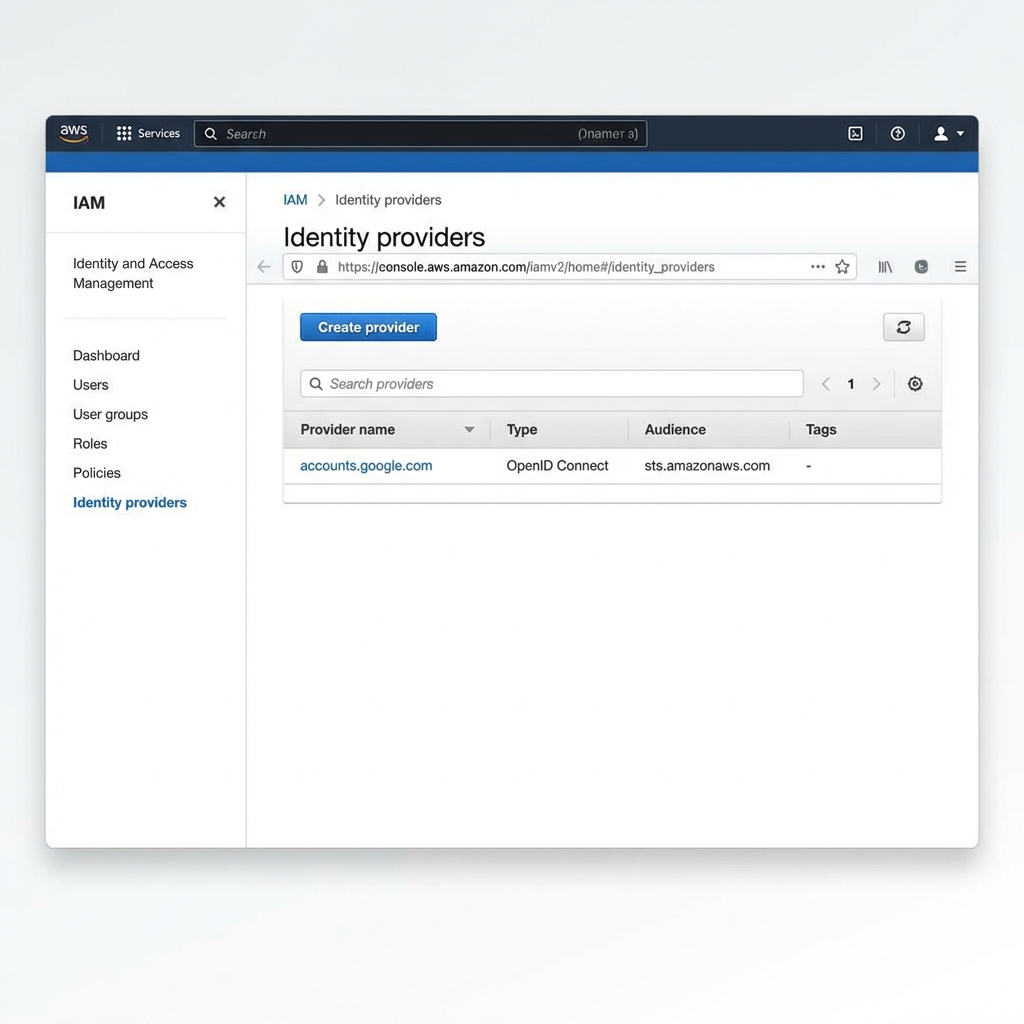
Terraform:
data "tls_certificate" "gke_oidc" {
url = var.gke_oidc_issuer_url
}
resource "aws_iam_openid_connect_provider" "google" {
url = var.gke_oidc_issuer_url
client_id_list = ["sts.amazonaws.com"]
# AWS primarily validates with trusted CAs. Keep thumbprint updated if fallback validation is needed.
thumbprint_list = [data.tls_certificate.gke_oidc.certificates[0].sha1_fingerprint]
}data "tls_certificate" "gke_oidc" {
url = var.gke_oidc_issuer_url
}
resource "aws_iam_openid_connect_provider" "google" {
url = var.gke_oidc_issuer_url
client_id_list = ["sts.amazonaws.com"]
# AWS primarily validates with trusted CAs. Keep thumbprint updated if fallback validation is needed.
thumbprint_list = [data.tls_certificate.gke_oidc.certificates[0].sha1_fingerprint]
}Next, create the trust policy for the IAM role. This is the part that matters most, because it binds AWS access to one specific Kubernetes service account.
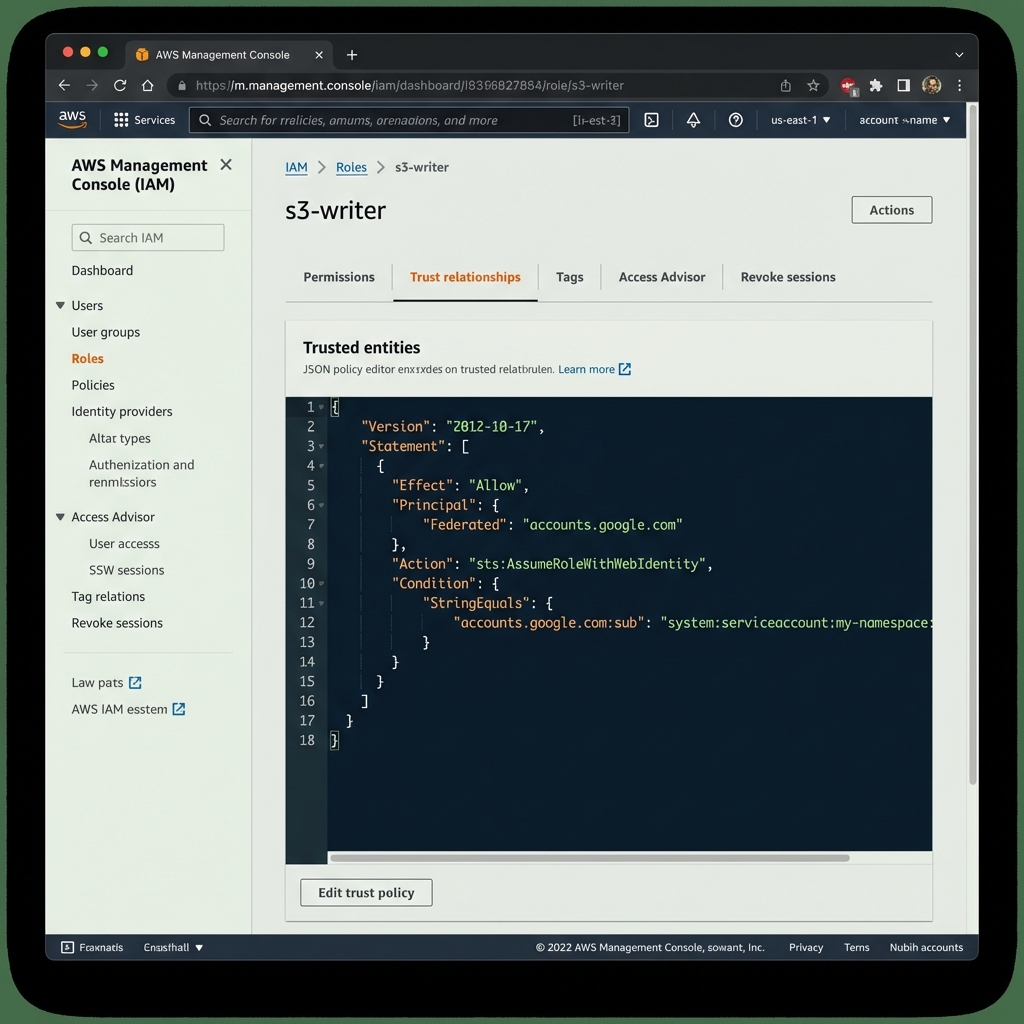
{
"Version": "2012-10-17",
"Statement": [
{
"Effect": "Allow",
"Principal": {
"Federated": "arn:aws:iam::1234567890:oidc-provider/container.googleapis.com/v1/projects/my-project-id/locations/us-central1/clusters/my-cluster"
},
"Action": "sts:AssumeRoleWithWebIdentity",
"Condition": {
"StringEquals": {
"container.googleapis.com/v1/projects/my-project-id/locations/us-central1/clusters/my-cluster:aud": "sts.amazonaws.com",
"container.googleapis.com/v1/projects/my-project-id/locations/us-central1/clusters/my-cluster:sub": "system:serviceaccount:my-namespace:my-service-sa"
}
}
}
]
}{
"Version": "2012-10-17",
"Statement": [
{
"Effect": "Allow",
"Principal": {
"Federated": "arn:aws:iam::1234567890:oidc-provider/container.googleapis.com/v1/projects/my-project-id/locations/us-central1/clusters/my-cluster"
},
"Action": "sts:AssumeRoleWithWebIdentity",
"Condition": {
"StringEquals": {
"container.googleapis.com/v1/projects/my-project-id/locations/us-central1/clusters/my-cluster:aud": "sts.amazonaws.com",
"container.googleapis.com/v1/projects/my-project-id/locations/us-central1/clusters/my-cluster:sub": "system:serviceaccount:my-namespace:my-service-sa"
}
}
}
]
}The sub claim must match the exact Kubernetes identity format: system:serviceaccount:<namespace>:<serviceAccountName>.
3. Keep teams away from IAM internals
You could stop here and ask each team to write this Terraform themselves. I would not recommend it.
It couples application teams to AWS IAM details they should not need to care about. It also creates drift. If fifty teams each define their own trust policy, you now have fifty slightly different interpretations of what "safe" means.
At Sky, we handle this with GitOps and a thin abstraction layer.
Teams declare intent in a small tenantConfig.yaml file:
# infra/config/checkout/tenantConfig.yaml
teamName: checkout
iamRoles:
s3-writer-prod:
permissions:
- action: s3:PutObject
resource: arn:aws:s3:::acme-checkout-data-prod/*
bindings:
- namespace: checkout-prod
serviceAccountName: checkout-sa# infra/config/checkout/tenantConfig.yaml
teamName: checkout
iamRoles:
s3-writer-prod:
permissions:
- action: s3:PutObject
resource: arn:aws:s3:::acme-checkout-data-prod/*
bindings:
- namespace: checkout-prod
serviceAccountName: checkout-saPlatform automation then does three things:
- Validates the schema and specific permissions (preventing
AdminAccess). - Provisions the IAM Role with the correct Trust Policy (locking it to the exact GKE ServiceAccount).
- Injects a
ConfigMapback into the team's namespace with the resultingAWS_ROLE_ARN.
That keeps IAM policy shape, naming, and hardening in one place. Developers do not hardcode ARNs. They consume the ConfigMap the platform gives them and move on.
Common pitfalls
The happy path is straightforward. The failure modes are not.
1. The Thumbprint Problem
AWS IAM requires the OIDC provider thumbprint, which is a hash of the certificate. Google rotates certificates from time to time. AWS usually validates against trusted CAs first, but stale thumbprints can still hurt fallback validation paths.
Fix: automate thumbprint discovery with data "tls_certificate" and alert on federation failures.
2. The Audience Mismatch
If you do not set the projected token audience explicitly, the token aud claim may not match what AWS STS expects.
If AWS expects sts.amazonaws.com, the call fails.
Fix: set serviceAccountToken.audience: sts.amazonaws.com in the pod spec and require <issuer-without-https>:aud = sts.amazonaws.com in the IAM trust policy.
3. Debugging is Opaque
When federation breaks, the first error is usually just AccessDenied, which tells you almost nothing.
Fix: debug from inside the pod so you can inspect the token and call STS directly.
# Check if the token is even mounting
cat /var/run/secrets/aws/sts.amazonaws.com/serviceaccount/token
# Manually call AWS STS to see the real error
aws sts assume-role-with-web-identity ...# Check if the token is even mounting
cat /var/run/secrets/aws/sts.amazonaws.com/serviceaccount/token
# Manually call AWS STS to see the real error
aws sts assume-role-with-web-identity ...How to Verify Connectivity (The Smoke Test)
Once the trust policy is in place, verify it from a real pod.
This Deployment mounts the OIDC token and runs aws sts get-caller-identity in a loop.
apiVersion: apps/v1
kind: Deployment
metadata:
name: aws-identity-verification
namespace: default
spec:
replicas: 1
selector:
matchLabels:
app: aws-identity-verification
template:
metadata:
labels:
app: aws-identity-verification
spec:
serviceAccountName: my-service-sa # Must match your Federated SA
automountServiceAccountToken: false
containers:
- name: aws-cli
image: amazon/aws-cli:latest
command: ["bash", "-c", "--"]
args: ["while true; do sleep 5 && aws sts get-caller-identity; done"]
envFrom:
# The platform injects the Role ARN via this ConfigMap
- configMapRef:
name: writer-s3-writer-prod
env:
- name: AWS_WEB_IDENTITY_TOKEN_FILE
value: /var/run/secrets/aws/sts.amazonaws.com/serviceaccount/token
- name: AWS_DEFAULT_REGION
value: "us-east-1"
volumeMounts:
- name: aws-token
mountPath: /var/run/secrets/aws/sts.amazonaws.com/serviceaccount
volumes:
- name: aws-token
projected:
sources:
- serviceAccountToken:
audience: sts.amazonaws.com
expirationSeconds: 3600
path: tokenapiVersion: apps/v1
kind: Deployment
metadata:
name: aws-identity-verification
namespace: default
spec:
replicas: 1
selector:
matchLabels:
app: aws-identity-verification
template:
metadata:
labels:
app: aws-identity-verification
spec:
serviceAccountName: my-service-sa # Must match your Federated SA
automountServiceAccountToken: false
containers:
- name: aws-cli
image: amazon/aws-cli:latest
command: ["bash", "-c", "--"]
args: ["while true; do sleep 5 && aws sts get-caller-identity; done"]
envFrom:
# The platform injects the Role ARN via this ConfigMap
- configMapRef:
name: writer-s3-writer-prod
env:
- name: AWS_WEB_IDENTITY_TOKEN_FILE
value: /var/run/secrets/aws/sts.amazonaws.com/serviceaccount/token
- name: AWS_DEFAULT_REGION
value: "us-east-1"
volumeMounts:
- name: aws-token
mountPath: /var/run/secrets/aws/sts.amazonaws.com/serviceaccount
volumes:
- name: aws-token
projected:
sources:
- serviceAccountToken:
audience: sts.amazonaws.com
expirationSeconds: 3600
path: tokenIf everything is wired correctly, the logs will show the federated identity:
"Arn": "arn:aws:sts::1234567890:assumed-role/s3-writer/keyless-session"
Conclusion
This pattern is worth the setup cost.
You remove a whole class of security problems, you stop rotating static AWS keys through Kubernetes secrets, and you give teams a cleaner interface to consume cross cloud access.
The first implementation always feels a bit fiddly. You have OIDC issuers, trust policies, thumbprints, audience claims, and enough moving parts to make the first failure annoying to debug. But once you automate it, the model is simple: the workload proves its identity, AWS checks the proof, and access is granted for a short window only.
If you still have long lived AWS access keys sitting in cluster secrets, this is one of the highest leverage cleanups you can make.
References
- GCP: Using Workload Identity Federation for GKE
- AWS IAM: Creating OpenID Connect (OIDC) identity providers
- AWS STS: AssumeRoleWithWebIdentity API Reference
- Terraform: aws_iam_openid_connect_provider
- Kubernetes: Projected Volumes (serviceAccountToken)
~/whoami
I'm Emre Cavunt, Lead Platform Engineer at Sky. Twitter • LinkedIn