An agent can keep working after it has moved to a different checkout. The person trying to review its changes still needs to find them. That gap between the agent's activity and the user's view ran through David Gomes's worktree chalk talk at Cursor Compile London on 16 September 2026.
He walked through the design as it changed: first the harness created every worktree, then agents started creating their own. Setup, directory tracking, and cleanup had to follow the work.
Cursor Compile London Series
- Pauline Brunet: AI Deployments at Scale
- David Gomes: Git Worktrees for Agentsyou are here
- Murali Suriar: Diagrams and Shared Understanding
- Pablo Santos Luaces: How File Merges Work
- Tomas Reimers: Code Review in the Agent Era
- Jet Semrick: Grok Bot Workshop
One Repository, Several Working Directories
A linked Git worktree gives another task its own checkout while sharing repository data. The Git worktree reference documents which state is shared and which belongs to each checkout.
David described the resurgence of worktrees as a consequence of parallel coding agents. A harness can run several agents, each pointed at a different path.
A worktree separates checked-out files. It does not isolate processes, ports, credentials, or databases.
Harness-Managed Worktrees
The initial lifecycle was:
- Create the worktree.
- Run setup, including dependencies and environment configuration.
- Hand the prepared path to the agent.
- Keep tool operations associated with that path.
- Register the worktree for cleanup.
Setup finishes before the agent starts. Running installation alongside the agent can leave it building or testing against a half-prepared environment.
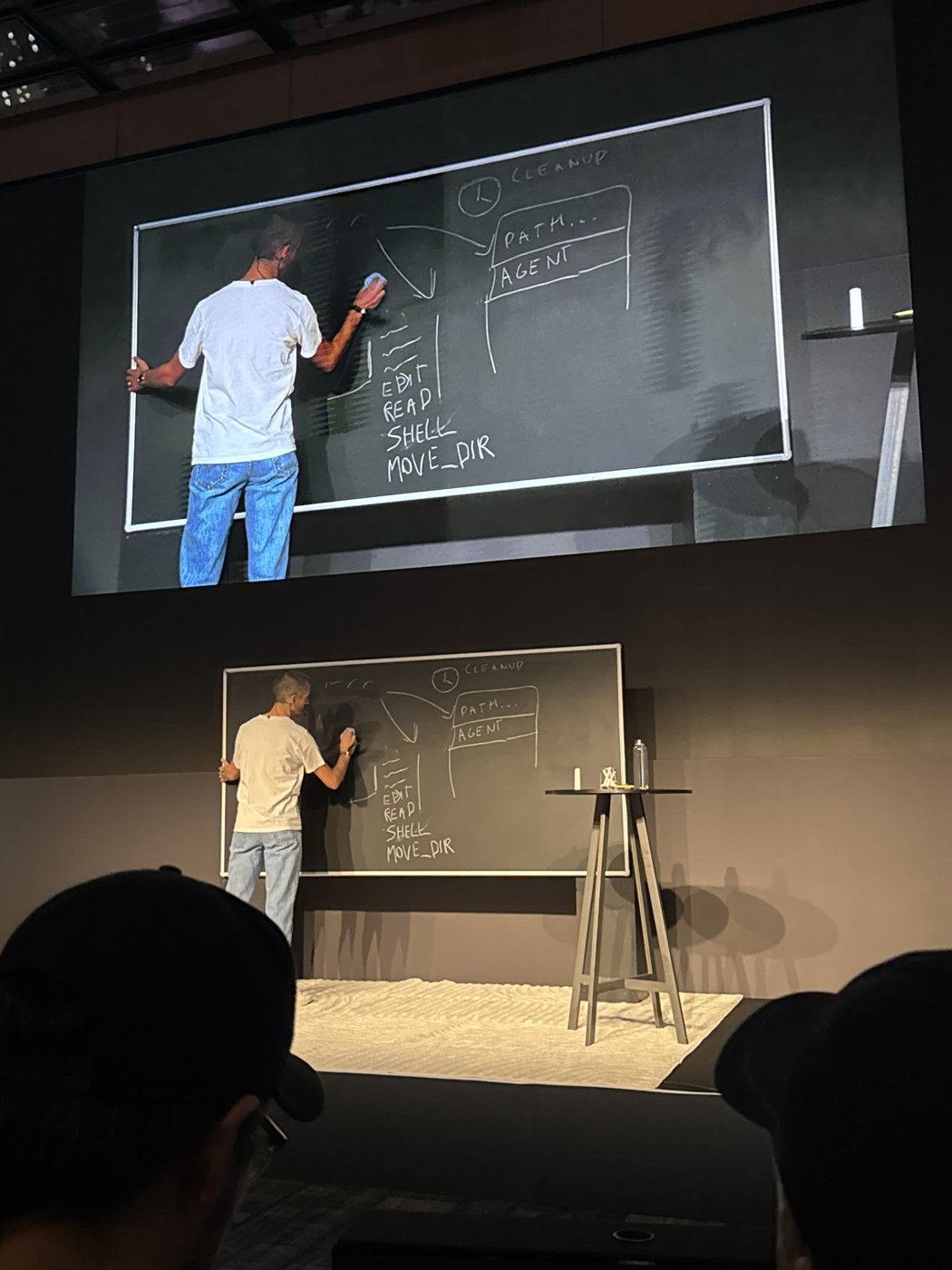
The board listed the agent's tool primitives: edit, read, shell, and move directory. The harness supplies those tools and needs to know which working directory they address.
Cleanup
Worktrees accumulate on disk. David described periodic cleanup, with a six-hour schedule in his account of Cursor's implementation. Candidate signals included last access, disk usage, and user quotas.
The difficult part is deciding when a task has finished. Some agents run for minutes; someone may return to another conversation weeks later. A quiet directory can still hold work they intend to finish. Cleanup needs to account for that, as well as the disk space.
Agents Started Creating Their Own Worktrees
As models became more autonomous, they began splitting larger features into several pieces and creating worktrees through the shell.
That broke the assumption that the harness knew about every checkout:
- The UI could show files from the wrong directory.
- Diffs and review surfaces could lose track of the active work.
- Cleanup could miss worktrees created outside the expected location.
David described different models favouring different directory layouts: inside the working directory, beside it, or elsewhere. The paths were no longer predictable from the original job setup.
A Dedicated Tool Did Not Settle It
The team tried a dedicated worktree-creation tool that ran setup and registered the checkout for cleanup. Models still used shell commands.
The approach he described next was to remove that extra tool and observe worktree creation instead. When an agent creates a worktree, register it with the surrounding system. A move-directory operation tells the UI where the agent is now working.
The whiteboard's MOVE_DIR label described the operation; it was not presented as a public API name.
Both Creation Paths Remain Useful
The team also tried relying entirely on agents to create their own worktrees. In long conversations, models could forget that they were operating in one. Harness-managed creation stayed.
The resulting design supported both paths: a prepared workspace created by the harness and additional worktrees created during the agent's work. In either case, setup, current-directory tracking, and cleanup still needed to work.