A line is present in your file and missing from mine. Until we look at the earlier version, neither of us can say whether it was added or deleted.
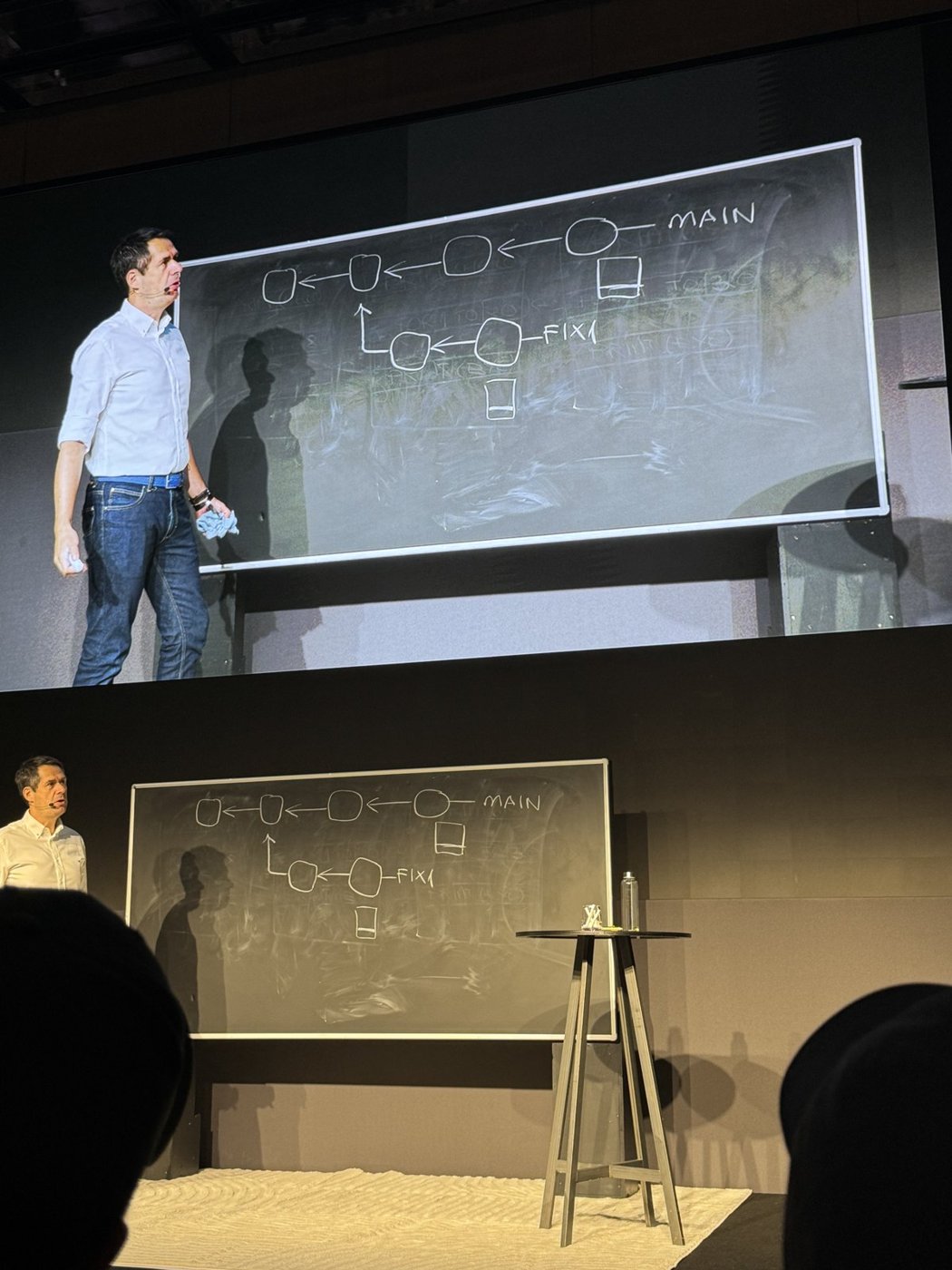
Pablo Santos Luaces built his file-merge chalk talk around that small ambiguity at Cursor Compile London on 16 September 2026. A few lines on the board were enough to follow the problem together, before moving into commit history and the performance work behind Origin.
Cursor Compile London Series
- Pauline Brunet: AI Deployments at Scale
- David Gomes: Git Worktrees for Agents
- Murali Suriar: Diagrams and Shared Understanding
- Pablo Santos Luaces: How File Merges Workyou are here
- Tomas Reimers: Code Review in the Agent Era
- Jet Semrick: Grok Bot Workshop
Two Versions Do Not Establish the Change
The example had two versions of a file:
| Mine | Yours |
|---|---|
print hello | print hello |
for 1 to 20 | for 1 to 20 |
| No further line | print bye |
Did you add print bye, or did I delete it? Comparing the two tips shows a difference but cannot answer that question.
Add the Base
The base is the file before the two contributors changed it:
print hello
for 1 to 20
print byeprint hello
for 1 to 20
print byeNow the result is clear. I deleted the last line; you left it unchanged. Apply the deletion.
The automatic cases described on the board were:
- Unchanged on both sides: retain the content.
- Changed on one side and unchanged on the other: apply the change.
- Changed differently in the same region on both sides: resolve the conflict.
If one contributor changes bye to goodbye while the other leaves it alone, the edit can be applied. If both change the same loop bound to different values, the merge needs a resolution.
Source, Destination, and Base
Pablo acknowledged how many names version-control tools give the same three inputs. Even the vocabulary can make a straightforward comparison harder to follow.
Destination is the tip being merged into. Source is the tip being merged from. Base supplies the earlier state used to interpret their changes.
An agent may propose a conflict resolution using surrounding context, but the input still depends on selecting the correct base.
Find the Base in the Commit Graph
He drew time horizontally, left to right. In a simple fork, the shared branch point supplies the base:
main: A---D---E
\
B---C featuremain: A---D---E
\
B---C featureA is shared history. C and E are the tips being merged.
The history is tracked at commit level. The selected base then supplies the earlier file versions for the three-way merge.
Best Common Ancestor
The live explanation used “nearest common ancestor”. Git's precise rule is based on ancestry, not simply the shortest graph distance.
If one common ancestor descends from another common ancestor, the descendant is the better candidate. A best common ancestor has no better one. See the Git merge-base reference.
Using an older ancestor can cause changes already incorporated into shared history to be treated as new differences.
Criss-cross history can produce more than one best common ancestor, with neither an ancestor of the other. List all candidates with:
git merge-base --all <tip-a> <tip-b>git merge-base --all <tip-a> <tip-b>Git's ort merge strategy can combine merge bases into a virtual base before merging the tips.
Origin Performance Work
The final section covered Origin and work on Git performance under higher commit and push volumes.
Pablo described stress tests in the range of 30–40 pushes per second against a single repository on one node. He also described repackaging work that reduced a clone from about five minutes towards twelve seconds.
These were figures reported during the talk, not benchmarks reproduced here. The discussion covered the whole pipeline, including ancestor traversal and clone performance, as agent-generated work increases the volume reaching source control.